Form Filling uses your patient encounter to automatically populate structured clinical documents, from disability certificates to insurance forms and referrals, so you spend less time on paperwork and more time on care.

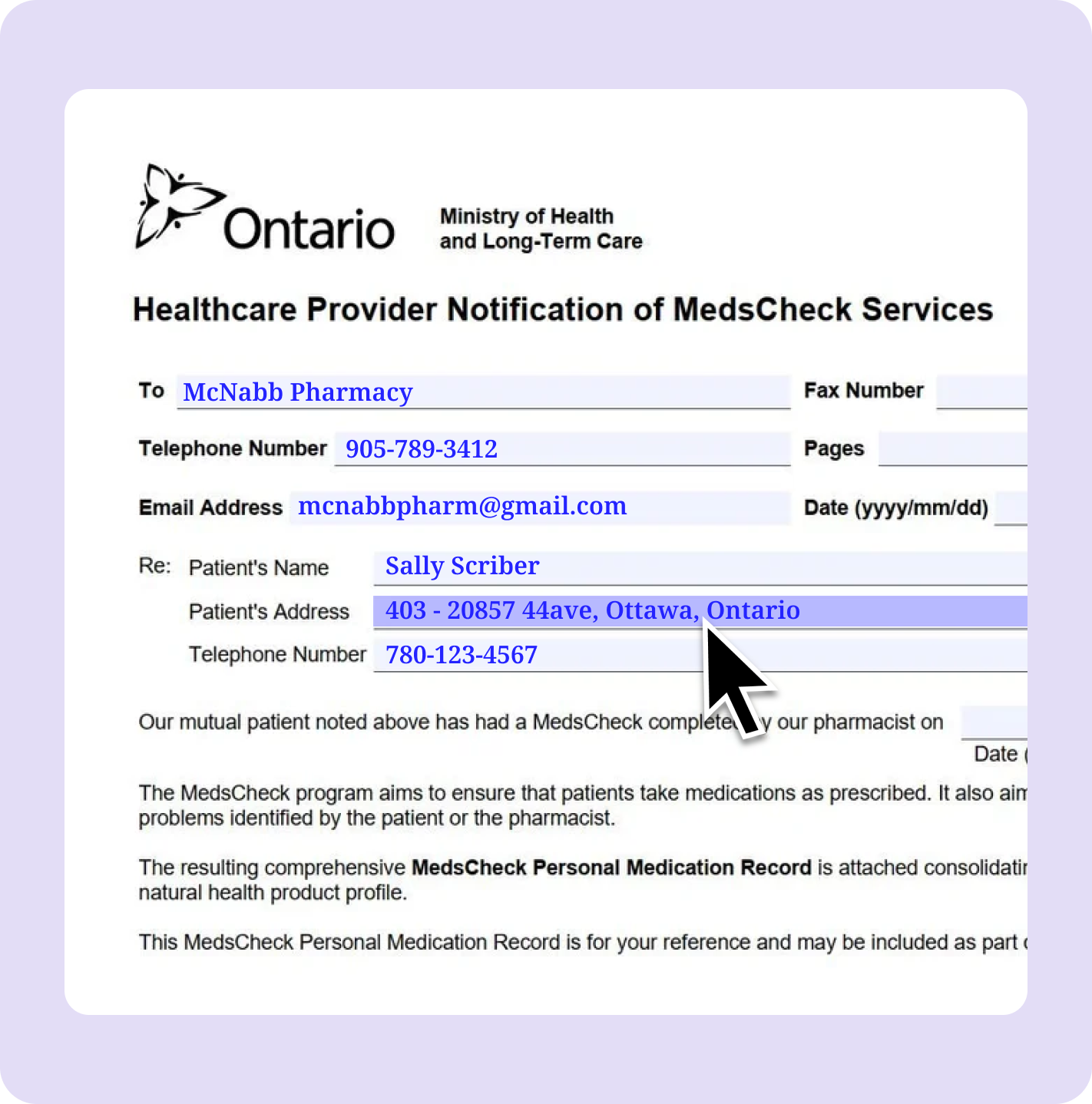
After a patient visit, you can select any form from the Form Library and Tali will use the encounter transcript to populate it automatically. Patient details, clinical descriptions, relevant history, and supporting context are pulled from the conversation and placed into the right fields.
What would take 20 to 30 minutes of manual entry takes a matter of seconds. You download the fillable PDF, review it, make any final edits, and it is ready to submit.
Why it matters: You get a pre-filled form that reflects the actual encounter, with full control before anything leaves your hands.
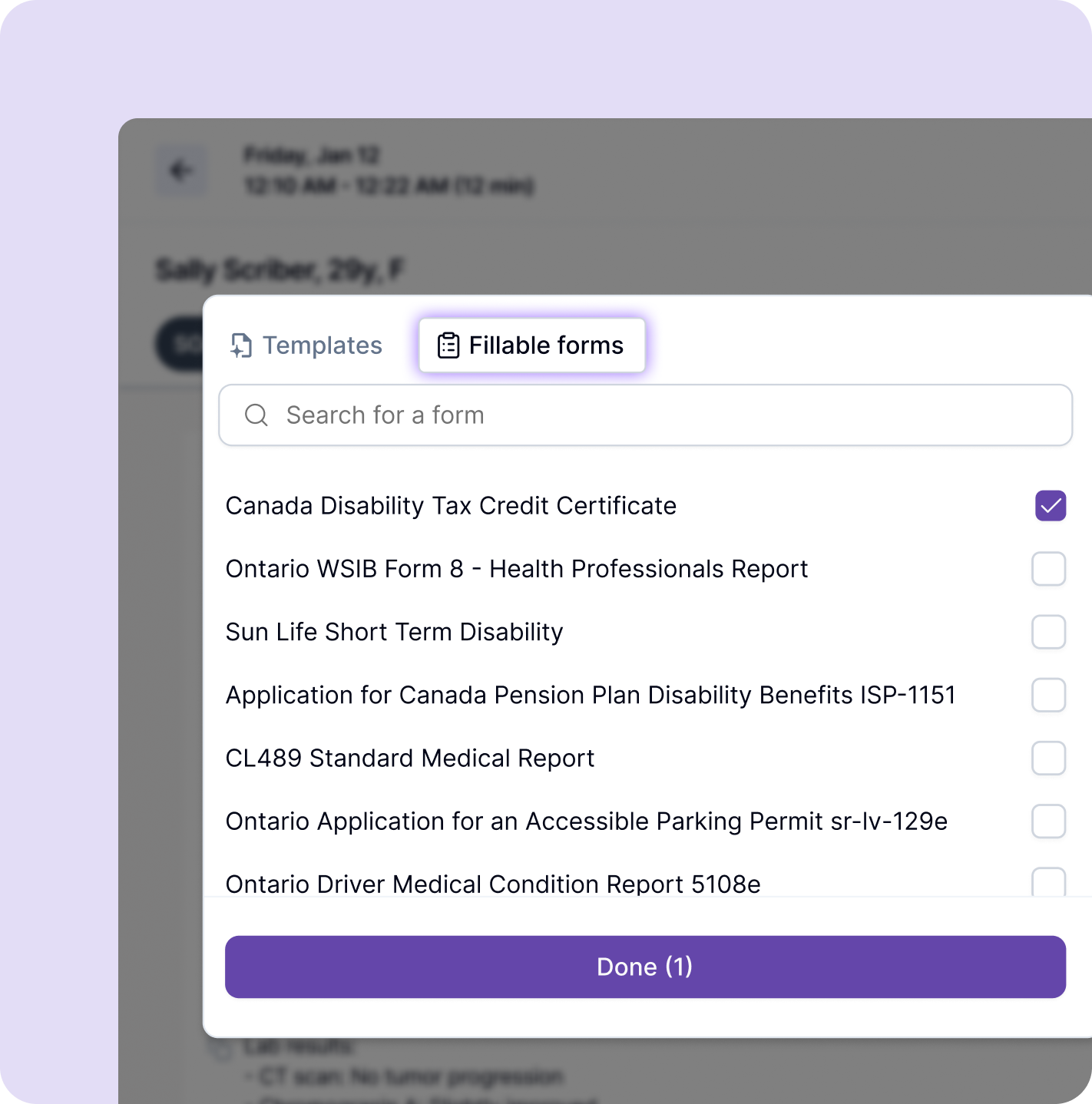
Form Preview lets you open and review a form while the visit is still in progress. You can see exactly what information the form requires and address it in real time, while the conversation is still happening and the details are easy to confirm.
When the encounter ends, Tali uses everything captured to generate the most complete version of the form it can.
Why it matters: The right details get captured at the right moment, reducing the need to dig through charts and notes after the fact.
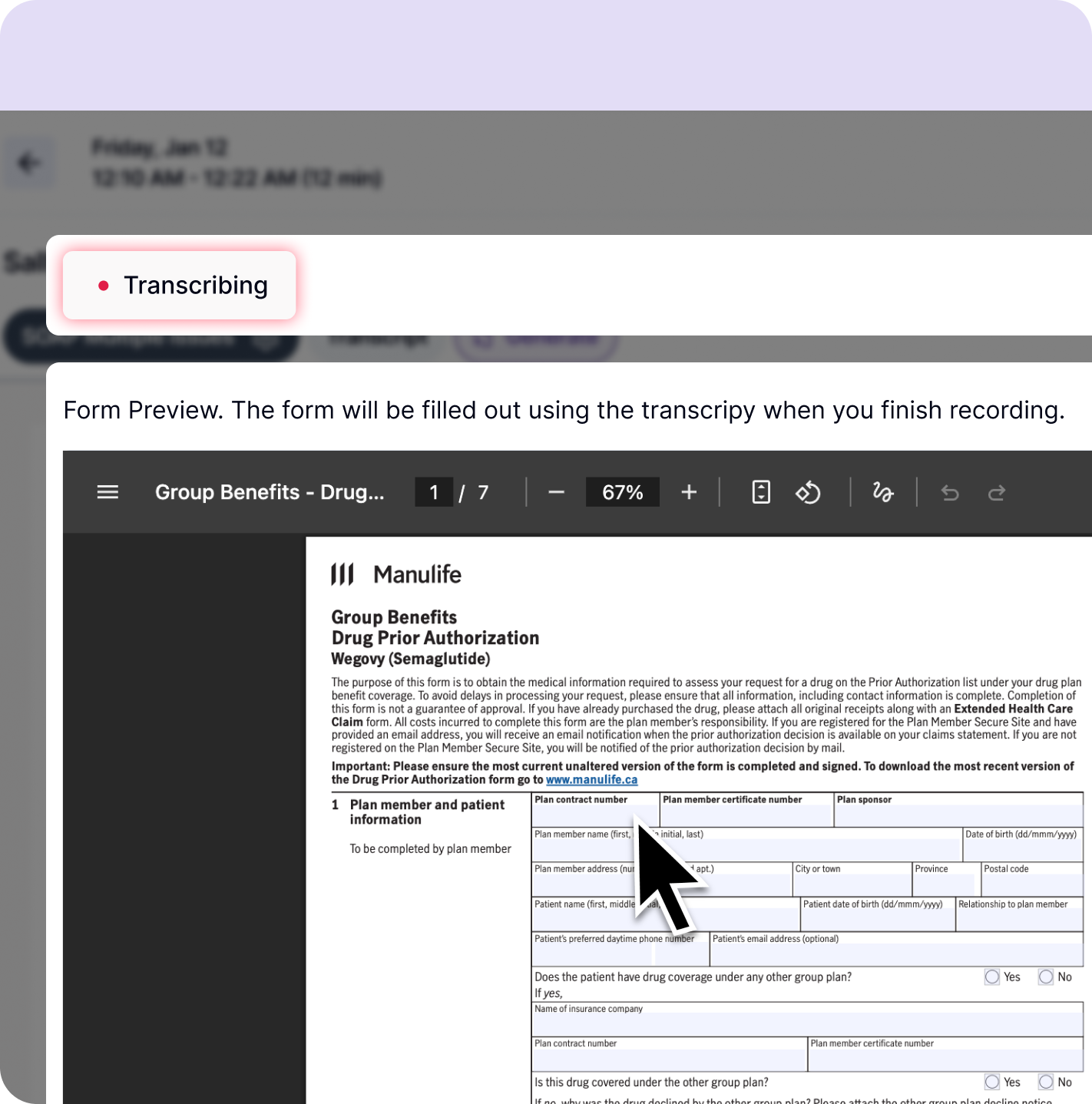
Sometimes a form needs more than what came up during the appointment. Form Helper gives you a flexible way to fill in the gaps after the form has been generated.
You can type additional details, dictate context directly, or upload supporting documents like patient charts or previous forms. Tali uses that added information to populate the remaining fields intelligently, so you are not manually editing field by field.
Why it matters: You provide the information once and Tali does the work, even when the encounter does not cover everything a form requires.
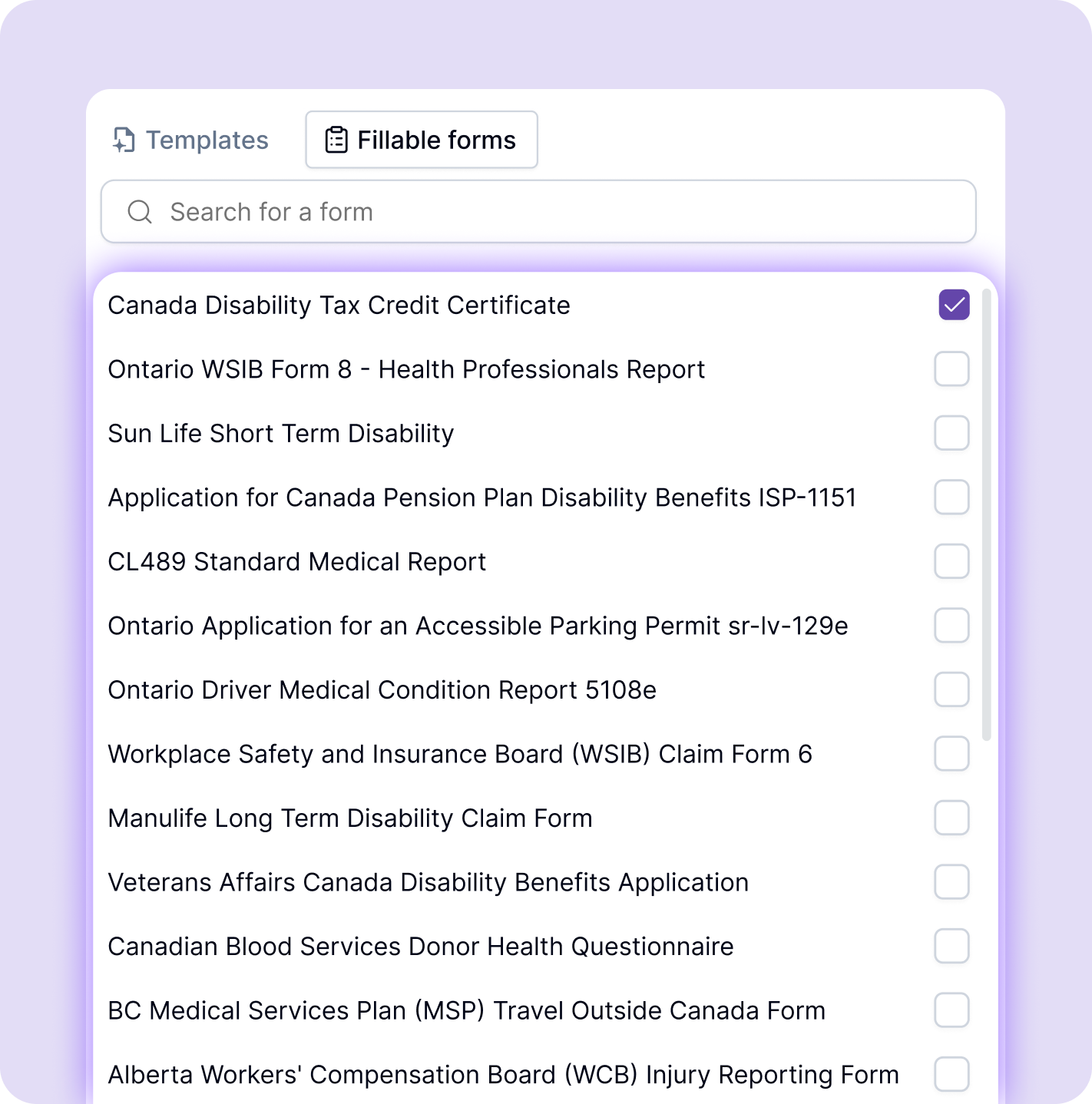
The Form Library includes a wide range of supported clinical documents: insurance forms, referral forms, government documentation, disability certificates, assessment forms, and more.
Why it matters: The forms you complete most often are already there, and the library keeps growing based on what clinicians actually need.
Start a free trial and complete your first form in minutes.
The same patient details, the same clinical descriptions, entered over and over across different documents.
Tali helps clinicians complete forms faster and with greater accuracy, by pulling directly from the encounter and keeping all the context in one place. Less manual re-entry. Fewer missing fields. More time for patient care.
Forms that used to take me 20 minutes are done in under three. I review, sign, and move on.
Being able to preview the form during the encounter changed how I approach documentation. I capture what I need in the moment.
The time I save on paperwork every week adds up to real hours. That time goes back to patients.
Create a new patient encounter or open a previous one from your history.
Paste additional notes or patient details into the Add Additional Context field to make sure everything relevant is included.
Click Generate and choose a form from the Form Library. Forms are organized by type, including insurance, referral, government, and assessment documents.
During a live encounter, open the form from the Templates and Forms dropdown to review what it requires. Capture any key details in real time while the conversation is still happening.
If the generated form has incomplete fields, use Form Helper to type or dictate additional context, or upload supporting documents. Tali uses that input to populate the remaining fields.
Once the form is generated, download it as a fillable PDF. Review it, make any final edits, and it is ready to submit.
Tali helps reduce the administrative work that surrounds patient care, from documentation and dictation through to forms, task management, billing support, and follow-up workflows. Instead of treating each task as a separate step, Tali helps clinicians keep more of the clinical day connected.
Turn in-person, virtual, and phone encounters into structured notes without typing everything manually.
AI Task Management surfaces suggested next steps after every encounter, so nothing falls through the cracks.
Use Call a Patient to start outbound calls, capture the conversation, and generate a note, all from the same place.
Capture clinical details quickly without stopping to type.
Tali integrates with leading Canadian EMRs to reduce copy-paste work and support a smoother documentation process.
Tali is designed with Canadian clinicians, clinics, privacy requirements, and workflows in mind. Tali is SOC 2 Type II certified and fully compliant with PHIPA, PIPEDA, and HIPAA standards. Data is processed securely in Canada and is never used to train third-party models.
Experience the future of healthcare documentation with Tali's AI-powered solutions.
Start Free TrialTali listens during your encounter and generates accurate, ready-to-review clinical documentation in real time.
Tali surfaces follow-up actions after every encounter, so nothing gets missed and care keeps moving forward.
Tali helps you identify the appropriate billing codes from your encounter, reducing missed revenue and manual lookups.