 BLOG
Clinical notes should be clear, structured, and easy to review. But clarity is not only about what the note says — it is also about how the information is organized on the page.
With Rich Text Formatting in Note Edit, you can now format your encounter notes directly in Tali before sending them to the EMR. Whether you want to emphasize a key finding, create clearer section breaks, or simply make your note easier to scan, formatting tools are now built into your note editing workflow.
Make your notes easier to read
In a busy clinical workflow, small formatting choices can make a big difference. Rich Text Formatting helps you bring more structure and emphasis to your notes, so the most important information is easier to find.
You can use formatting to:
- Highlight important clinical details, such as key findings, instructions, or follow-up items
- Create clearer visual hierarchy between sections like Assessment, Plan, or Patient Instructions
- Make handoffs easier by improving how quickly others can scan the note
- Customize your note style so your documentation looks the way you prefer
- Create more polished notes before copying or sending them to the EMR
Format your note directly in Tali
Rich Text Formatting is available in Note Edit, so you can refine your note without leaving your existing workflow.
To format your note:
- Open an encounter note.
- Click the Edit icon.
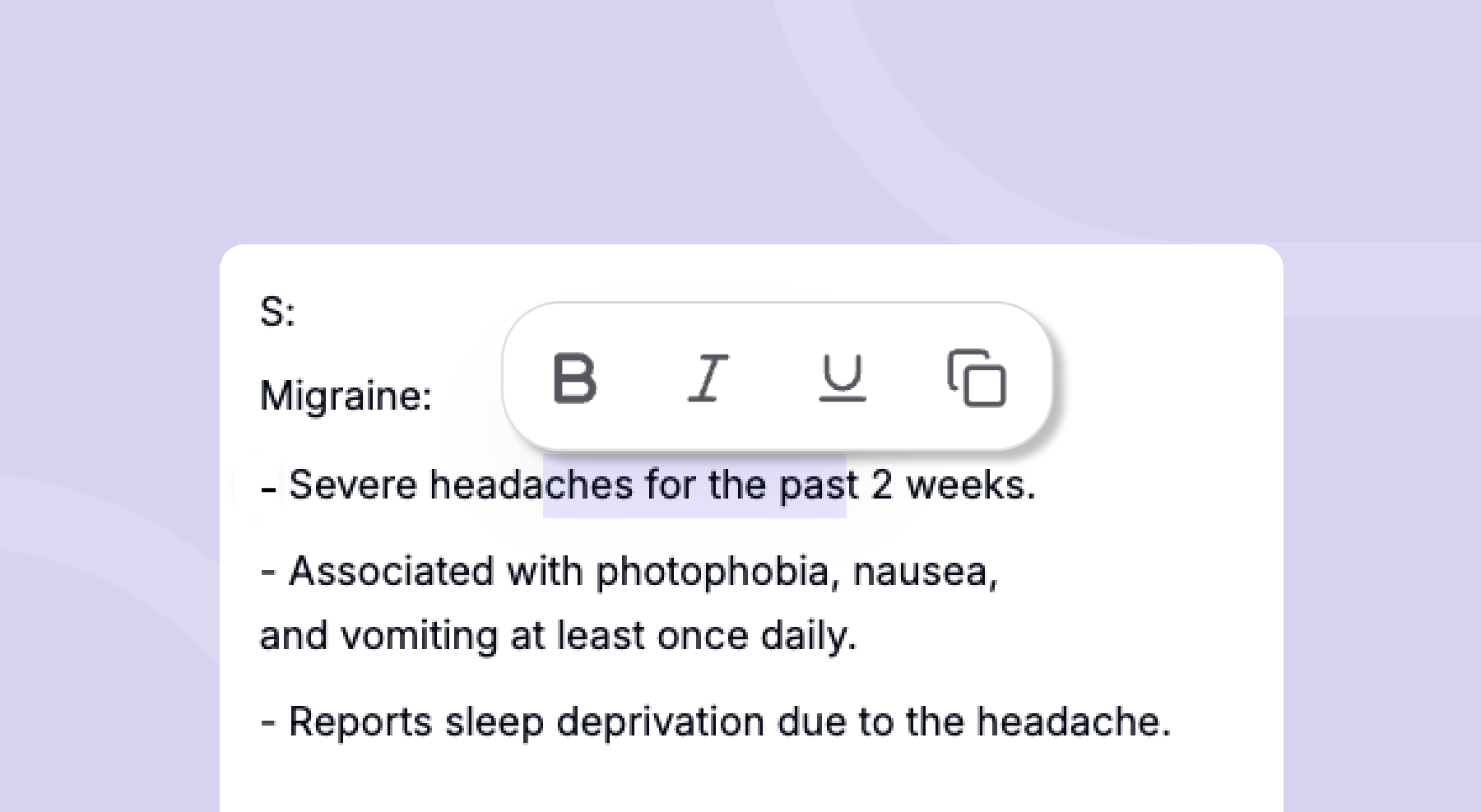
- Highlight the text you want to format.
- Use the toolbar that appears above the selected text.
- Apply the formatting you need.
You can currently use:
- Bold to emphasize headers, key findings, or important instructions
- Italics to add subtle emphasis or distinguish certain details
- Underline to call attention to specific text
- Copy selected text to quickly copy part of your note
Built for your documentation workflow
Rich Text Formatting gives you more control over how your notes look before they move into the EMR.
That means you can review, refine, and structure your documentation in Tali, then send or copy it with the added clarity and emphasis intact.
It is a small update designed to support a smoother documentation experience: cleaner notes, clearer communication, and more flexibility in how you chart.
Try it in your next encounter
Open a note, enter edit mode, highlight a section, and format it your way.
Your notes should work for your workflow — now they can look the way you want them to as well.