BLOG

Tali AI Product Team
July 27, 2026

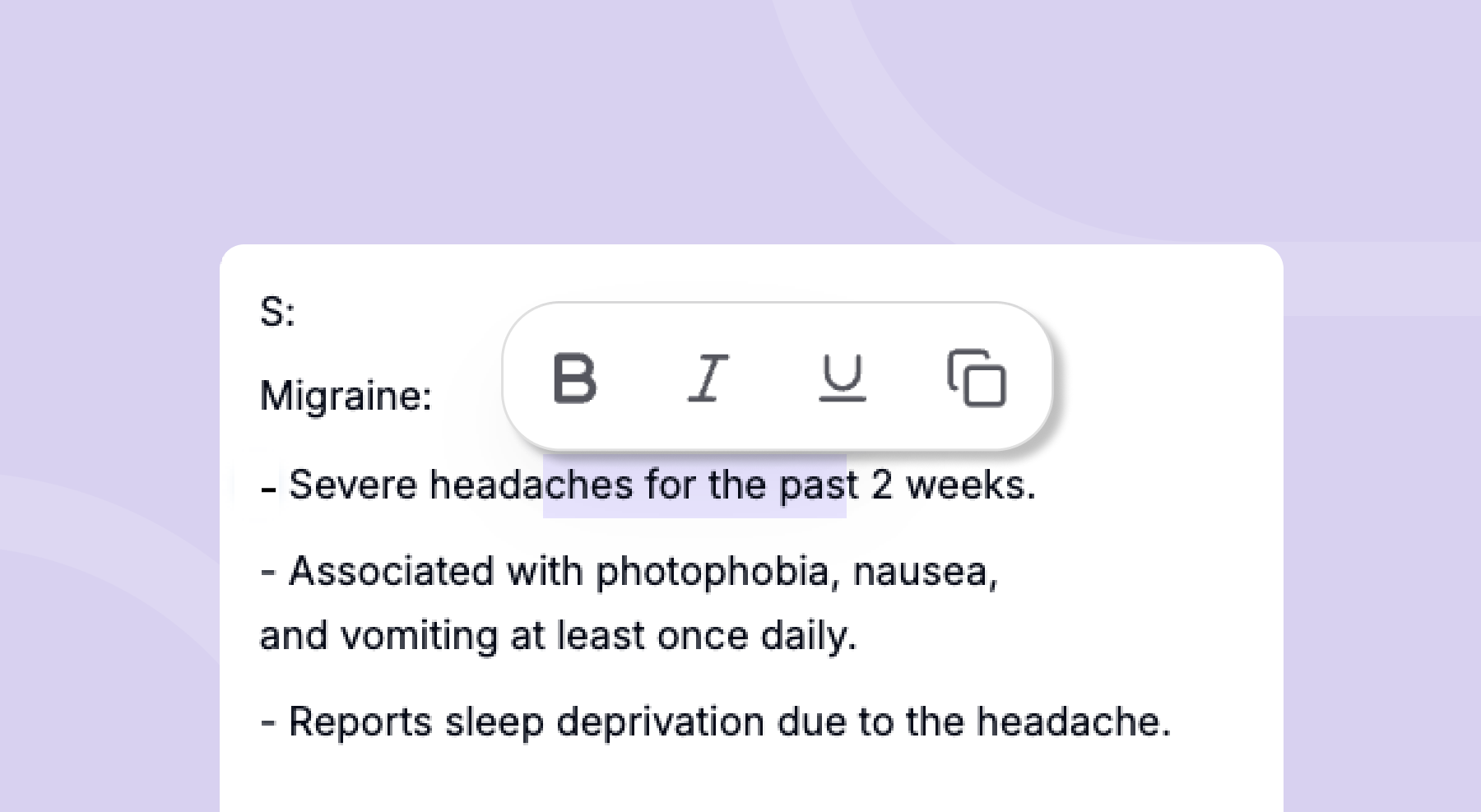
Clinical notes should be clear, structured, and easy to review. But clarity is not only about what the note says — it is also about how the information is organized on the page.
With Rich Text Formatting in Note Edit, you can now format your encounter notes directly in Tali before sending them to the EMR. Whether you want to emphasize a key finding, create clearer section breaks, or simply make your note easier to scan, formatting tools are now built into your note editing workflow.
In a busy clinical workflow, small formatting choices can make a big difference. Rich Text Formatting helps you bring more structure and emphasis to your notes, so the most important information is easier to find.
You can use formatting to:
Rich Text Formatting is available in Note Edit, so you can refine your note without leaving your existing workflow.
To format your note:
You can currently use:
Rich Text Formatting gives you more control over how your notes look before they move into the EMR.
That means you can review, refine, and structure your documentation in Tali, then send or copy it with the added clarity and emphasis intact.
It is a small update designed to support a smoother documentation experience: cleaner notes, clearer communication, and more flexibility in how you chart.
Open a note, enter edit mode, highlight a section, and format it your way.
Your notes should work for your workflow — now they can look the way you want them to as well.
Experience the future of healthcare documentation with Tali's AI-powered solutions.
Start Free TrialRelated Articles
Product & Features
July 30, 2026
Product & Features
July 23, 2026
Product & Features
July 23, 2026

Research
July 27, 2026
3
Research
July 27, 2026
3
Research
July 27, 2026
3