 BLOG
After an encounter, the work does not always end with the note. Referrals, consult letters, and other follow-up documentation often need to happen next.
Tali already generates documents from the encounter. Now, we’re making that workflow even smoother by bringing document generation directly into eligible tasks. When Tali identifies a referral or consult letter task, you can generate the document right from the task itself, helping you move from follow-up action to ready-to-review documentation with fewer steps.
What You Can Generate
For launch, Tali supports document generation from tasks for:
- Referral letters
- Consult letters
We’re starting with these high-impact document types and will continue exploring support for additional documents over time.
How It Works: One Click to "Done"
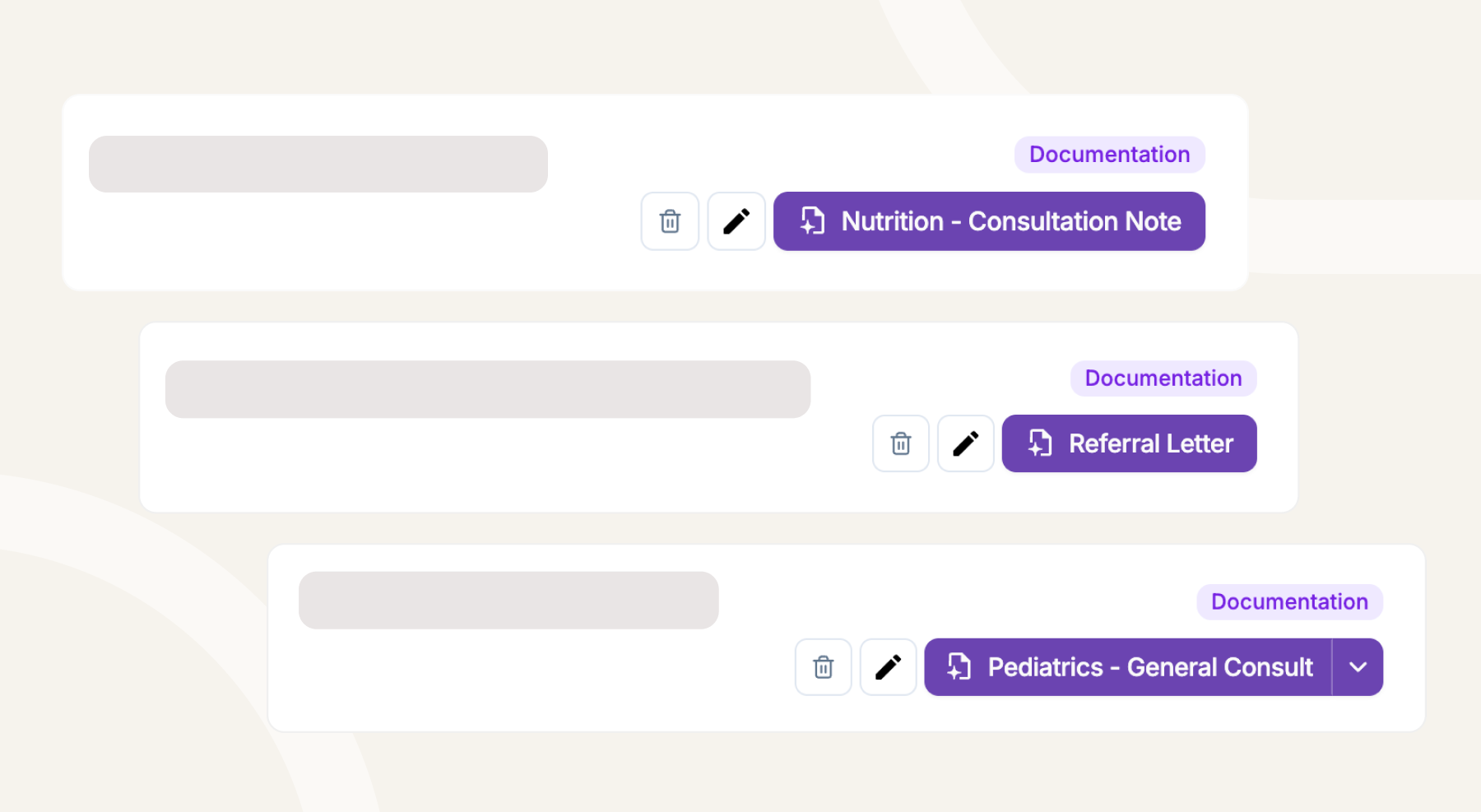
Tali’s intelligence works in the background. When the AI identifies a task that requires a referral or consult, a Generate button automatically appears on that task.
From there:
- Tali selects a default template The Generate button shows the referral or consult letter template Tali has selected.
- You stay in control Need a different template? Use the dropdown beside the Generate button to select another option before generating.
- The document is generated from the task workflow Click Generate, and Tali creates the document using the task, encounter context, and available patient context.
- You can review and edit before using it The generated document is ready for review, so you can make any needed changes before sending or saving it.
- The task is automatically approved When a document is generated from a task, the task is automatically approved, reducing an extra step in your follow-up workflow.
Why This Matters
This update is about making the post-encounter workflow more streamlined.
Tasks help capture what needs to happen next. Document generation helps turn that next step into clinical documentation. By bringing the two workflows closer together, Tali helps reduce the friction between identifying a follow-up action and completing the related documentation.
With document generation from tasks, you can:
- Move from task to document with fewer clicks
- Reduce switching between different parts of the encounter
- Keep follow-up work moving after the visit
- Use the relevant encounter and patient context when generating the document
- Spend less time managing the workflow around documentation
Ready to Try It?
After your next encounter, head over to the Tasks tab. Look for the Generate button on your referral or consult tasks and see how much time you save when the first draft is done for you.
Less clicking, more caring. That’s the Tali way.