BLOG

Hesam Dadafarin
September 14, 2026

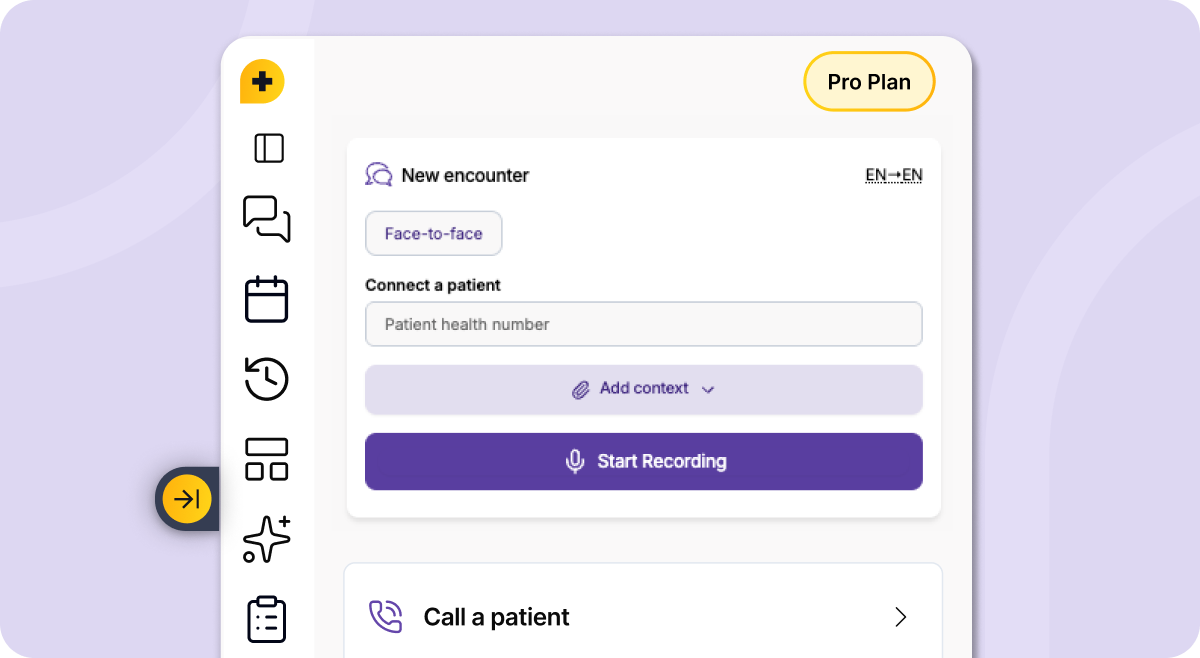
This week’s update is focused on bringing more of Tali into one place and making everyday workflows easier to move through.
We’re beginning a gradual rollout of the updated Tali Chrome Extension. Chrome Extension users will start seeing a prompt inviting them to try the new experience early. The updated extension brings more Tali features together in one workspace, including documentation, billing, forms, templates, appointments, tasks, and dictation.
We’re also adding more support for phone visits, including the ability to add text and files before using Call a Patient, microphone selection for clearer audio, faster encounter sorting, and audio uploads through Additional Context.
Missed last week’s update? Read it here.
Over the last few months, we’ve shipped a lot inside Tali: billing, form filling, appointments, task management, Call a Patient, universal dictation, and Template Assistant.
Every one of these releases started with the same type of conversation: this part of the day still takes too much time.
But features are only useful if they are easy to reach when you need them. That’s why this week’s update focuses on bringing more of Tali together, while also improving some of the workflows clinicians use every day.
You can now try the updated Chrome Extension through early access, prepare better for phone visits with added context, choose the microphone that works best for Call a Patient, sort past encounters faster, and upload audio through Additional Context.
The goal is simple:
More of Tali in one place.
Better phone visit workflows.
Faster access to the encounters you need.
More flexibility in how notes are created.
We’re beginning a gradual rollout of the updated Tali Chrome Extension.
If you use the Chrome Extension, you’ll start to see a prompt inviting you to try the new experience early. The updated extension brings more of Tali together in one workspace, so the features you use across the day are easier to reach when you need them.
The updated Chrome Extension brings together:
This means you can access more of Tali from the same workspace, instead of moving between different Tali experiences to find the feature you need.
Because this is an early access rollout, we recommend updating when you have a quiet moment between appointments or after clinic. Try it out, move through your usual workflow, and let us know what you think.
Your feedback helps us fine-tune the updated extension before the wider rollout.
You can now add text and files before using Call a Patient.
This helps Tali generate a more informed encounter note by giving it relevant context before the phone visit begins. For example, you may want to add background details, patient information, previous visit notes, or supporting documents before starting the call.
This is especially helpful when a phone visit depends on information that is not fully captured during the conversation itself.
With added context for Call a Patient, you can:
Phone visits often move quickly. This update helps make sure the note has more of the context it needs from the start.
You can now select the microphone that works best for Call a Patient.
This gives you more control over your phone visit setup, especially if you use an external microphone, headset, laptop microphone, or multiple audio devices throughout the day.
Choosing the right microphone can help improve audio clarity and make the workflow feel more natural for your setup.
This update helps you:
Small setup details can make a big difference, especially when you are moving between visits throughout the day.
You can now sort your encounter history by Newest or Oldest first.
This makes it easier to find the encounters you need, especially when you are reviewing previous notes, returning to older visits, or quickly checking recent work.
Instead of scrolling through your encounter history manually, you can choose the order that makes the most sense for what you are trying to find.
This update is simple, but it helps reduce the small moments of friction that add up across the day.
You can now upload an audio recording as the main transcript for your note through Additional Context.
This brings audio upload into the same streamlined workflow used to add context before an encounter, making it easier to generate a note from an existing recording.
This gives you more flexibility when a recording already exists or when the information needed for the note comes from audio captured outside the usual encounter flow.
You can now use Additional Context to:
This update is part of our ongoing work to make Additional Context more flexible for real clinical workflows.
If you have feedback, feature requests, or ideas, reply to the email or reach out at product@tali.ai. Those conversations genuinely shape what we build next.
Experience the future of healthcare documentation with Tali's AI-powered solutions.
Start Free TrialRelated Articles
Product & Features
July 30, 2026
Product & Features
July 23, 2026
Product & Features
July 23, 2026

Research
September 14, 2026
4
Research
September 14, 2026
4
Research
September 14, 2026
4